
Category
Live Mentorship Track
Website Design, Dev & UI/UX (No-Code)
DEVELOP HIGH-INCOME DIGITAL AGENCY SKILLS
Master end-to-end website architecture, UI/UX logic, and live server deployment to build a professional portfolio website.
- 8 weeks (24 LIVE sessions)
- 60 mins, 3 sessions/week
- Mode: 100% Online
- Certification: BWS Verified (Global Standards)
About this Opportunity

Alongside our enterprise web development services, we offer a rigorous digital architecture live track designed to provide hands-on experience in building modern web platforms. This advanced mentor-led program is ideal for professionals and creators looking to design and deploy scalable websites within real-world commercial environments.
Participants engage in intensive, mentor-led learning covering advanced UI/UX logic, custom front-end architecture, and live server administration using commercial-grade visual builders. The curriculum gradually increases in complexity, helping learners develop the design thinking, technical problem-solving abilities, and core administrative skills required to manage digital agency projects.
By the end of this 8-week program, participants will engineer and deploy a production-ready web platform that showcases their practical expertise with digital architecture. Graduates leave with a highly technical portfolio, verifiable credentials, and the exact commercial skills needed to launch independent ventures or secure digital roles.
Why is Digital Architecture the Ultimate High-Income Skill?
An evergreen asset for career growth, freelancing, and entrepreneurship.
Launch a Digital Side-Hustle
Web architecture is a highly in-demand freelance skill. Start offering premium digital services immediately upon completion.
Rapid Product Deployment
Transform concepts into live web platforms in days, not months. Test ideas, launch businesses, and iterate on user feedback instantly.
Leverage Visual Architecture
Bypass years of syntax memorization. Use enterprise-grade visual builders to engineer complex UI/UX logic without writing raw code.
Build a Commercial Portfolio
Stop relying on theoretical resumes. Prove your technical capabilities to clients and employers with a live, production-ready web platform.
Master Server Administration
Go beyond basic front-end design. Learn to configure domains, manage hosting environments, and administer live web servers.
Achieve Technical Independence
Stop paying expensive third-party agencies to manage your digital assets. Take full control of your infrastructure, security, and updates.
Future-Proof Your Career
Web technologies form the backbone of the digital economy. These core principles directly translate to SaaS, e-commerce, and cloud computing.
Seamless Career Transitions
Pivot into the tech sector with confidence. This foundational expertise provides a massive advantage for aspiring product managers and digital marketers.
THE 8-WEEK ROADMAP
Curriculum & Tech Stack (24 Sessions)
WEEKS 1-2
Digital Architecture & Foundations
Server administration, DNS configuration, and live hosting environments using cPanel and Virtualmin.
Core Content Management System (CMS) deployment and fundamental database architecture.
WEEKS 3-4
UI/UX & Visual Engineering
Advanced responsive design, global typography, and layout logic using enterprise visual builders like Elementor.
Wireframing, asset optimization, and user journey mapping for high-converting interfaces.
WEEKS 5-6
Advanced Functionality & Data Logic
Dynamic data integration, custom query builders, and complex lead-capture workflows via WPForms Pro.
Structural e-commerce architectures and dynamic directory frameworks using WooCommerce and HivePress.
WEEKS 7-8
Launch, Security & Optimization
Enterprise-grade security protocols, SSL implementation, and Cloudflare DNS edge caching.
Advanced on-page SEO schema configuration with Rank Math and final live-server production deployment.
Production Portfolio & Capstones
Build and deploy a verifiable portfolio of commercial-grade web platforms. Stop doing theoretical design exercises and start engineering live digital systems.
Live Commercial Capstone
- End-to-End Corporate Web Platform
- Fully Integrated E-Commerce/Booking Engine
- Live Cloud-Deployed Digital Portfolio
Advanced Architectures
- Custom Dynamic Listing Directories
- Automated Lead Generation Funnels
- Responsive Global Design Systems
Core Component Builds
- Cloudflare DNS & Edge Caching Setup
- Advanced SEO Schema Configurations
- Live Server Security & SSL Deployment
Global Domains
Server Hosting
Web Architecture
UI/UX Structure
Data Integration
Logic Workflows
SSL Security
Cloud Deployment
How It Works
The Mentorship Process
1) Secure Your Enrollment
Select your preferred Superclass or Masterclass tier below and secure your seat in our upcoming professional cohort.
2) Engage in Live Mentorship
Collaborate with ambitious peers and master complex digital architecture alongside senior agency developers.
3) Engineer a Live Capstone
Stop doing practice exercises. Architect, build, and deploy a fully functional commercial web platform to a live server.
4) Claim Your Credentials
Receive a verifiable industry certificate validating your technical independence and new high-income digital skills.
Eligibility Criteria
Everything you need to succeed in this cohort
REQUIREMENTS
A PC, Laptop or Mac
Required. A smartphone cannot be used for architectural deployment.
Stable Broadband Access
Required. Essential for live mentorship sessions and server access.
Professional English
Essential. All live mentorship and technical documentation is in English.
No Prior Coding Needed
Essential. This program leverages enterprise visual builders, not manual syntax.
Adults & Professionals
Open to career-switchers, freelancers, founders, and IT enthusiasts.
PROGRAM FEATURES
Verifiable Credentials
Receive an industry-recognized certificate to validate your technical expertise.
100% Remote Execution
Attend live online sessions from anywhere with flexible cohort access.
Agency-Grade Workflows
Master the exact toolstacks and SOPs used by modern web development firms.
Live Commercial Capstone
Architect, build, and deploy a production-ready web platform to the internet.
High-Income Asset
Acquire core technical skills that directly support freelance or career growth.
Industry-Recognized Certification
Verifiable documentation to strengthen your professional portfolio and corporate resume.
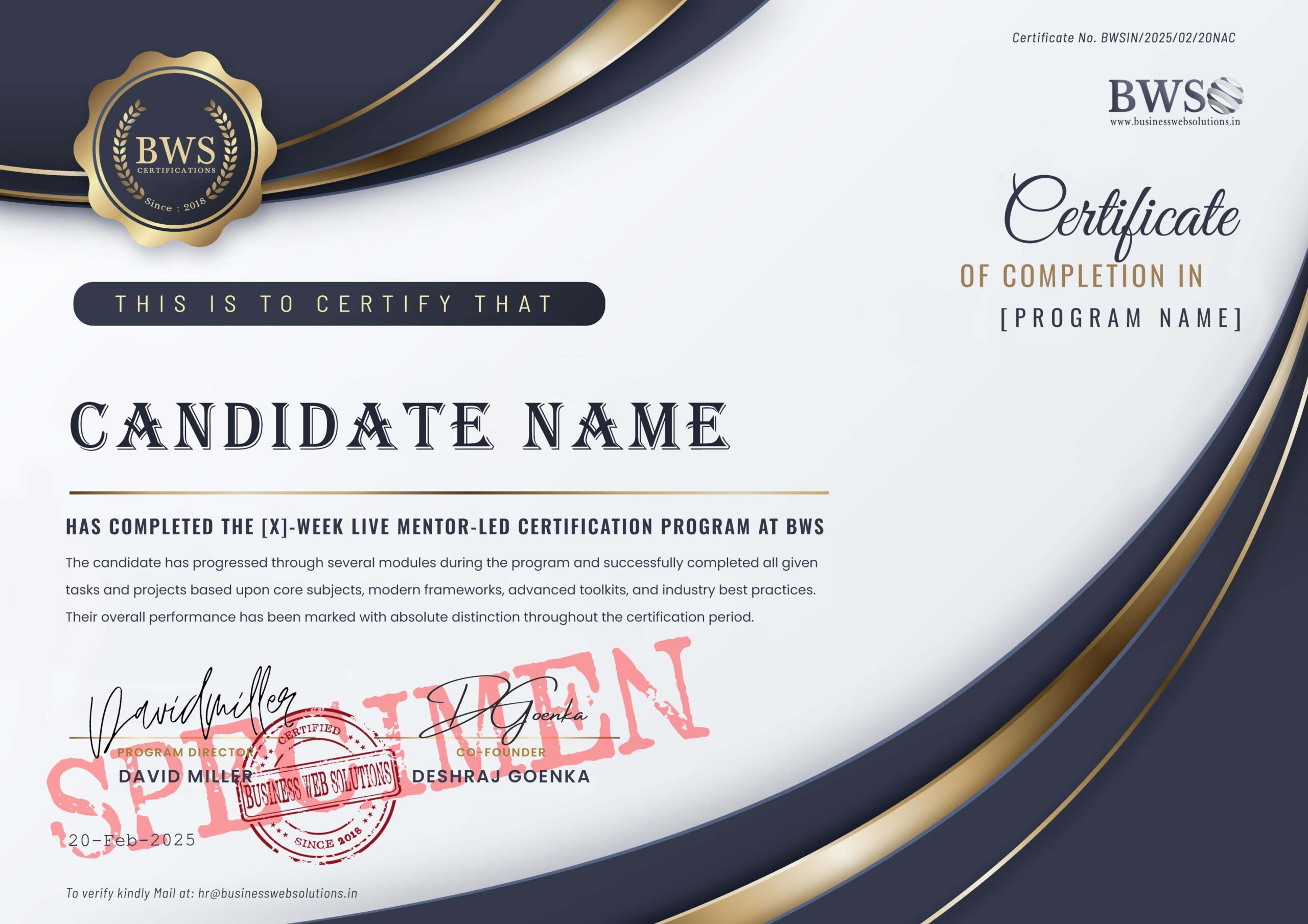
- Verifiable: Every certificate includes a unique ID that employers and recruiters can verify directly on the Business Web Solutions portal.
- Agency-Backed: Issued by an active, international web development agency, not a theoretical training center.
- Outcome-Based: Only awarded upon the successful live deployment of your final commercial web platform.
Next Cohort Starts: Upcoming Monday
Global Time Zones Accommodated (13 Slots, between 9AM to 9PM)
Select Your Mentorship Track
1: Many SUPERCLASS
Cohort Size: Min 1 to Max 20 Allowed-
8-Week Live Mentor-Led Program
-
24 Sessions | Mon-Wed-Fri | 60-Min each
-
Max. 20 Students/Cohort
-
100% Live (Zero Pre-Recorded Video)
-
Enterprise Web Architecture Tools
-
Build & Deploy a Live Web Platform
-
Verifiable Industry Credential
-
Private Peer Networking Support
1:1 MASTERCLASS
Private & Intensive-
Everything in 1:Many SUPERCLASS
-
1:1 Private Agency Mentorship
-
Personalized Pacing & Custom Logic
-
Deploy a Highly Customized Platform
-
Advanced E-Commerce Architectures
-
Direct Mentor Access via Private Channel
-
Priority Technical & Execution Support
-
Premium 1-on-1 Production Launch
Enrollment Form
Note: When you select your slot time, it will be auto converted as per your Local Time Zone.
Frequently Asked Questions
This mentorship track is engineered for adult professionals, career-switchers, freelancers, and entrepreneurs. It is ideal for driven individuals who want to architect and deploy commercial web platforms without spending years learning traditional raw code.
No prior coding experience is required. This program focuses on modern digital architecture. You will leverage enterprise-grade visual builders, advanced CMS frameworks, and live server environments to engineer complex functionality without writing manual syntax.
The program is 100% live and fully remote. You will join interactive online cohorts, collaborating directly with senior agency developers. There are zero pre-recorded tutorial videos—every session involves real-time technical execution and direct Q&A.
We operate on a rolling cohort schedule with highly flexible morning, afternoon, and executive evening tracks. This accommodates working professionals globally. You will select your preferred time slot during the secure enrollment step.
The program is an intensive 8-week architectural sprint (24 live sessions). Upon successful live deployment of your final commercial project, you will receive an industry-recognized, verifiable credential validating your technical expertise.
We do not do theoretical practice exercises. You will architect, build, and deploy a live commercial capstone project. By the end of the 8 weeks, you will have a production-ready web platform (featuring custom data logic and e-commerce mechanics) deployed to the global internet.
Absolutely. Our mentorship tracks accommodate global time zones. We provide dedicated execution slots tailored for professionals across different regions to ensure seamless, real-time collaboration.
Yes. This program is specifically designed around agency-grade workflows. You will master the exact commercial toolstacks (cPanel, Cloudflare, Elementor, WPForms Pro) and server administration protocols required to deliver high-ticket digital services to real-world clients.


 Views Today : 185
 Views Yesterday : 253
 Your IP Address : 216.73.216.174